
Get started – how to use our portal
- User account and profiles
- Overview
- Applications and services
- Operations
- User management
- Authorisations
User account and profiles
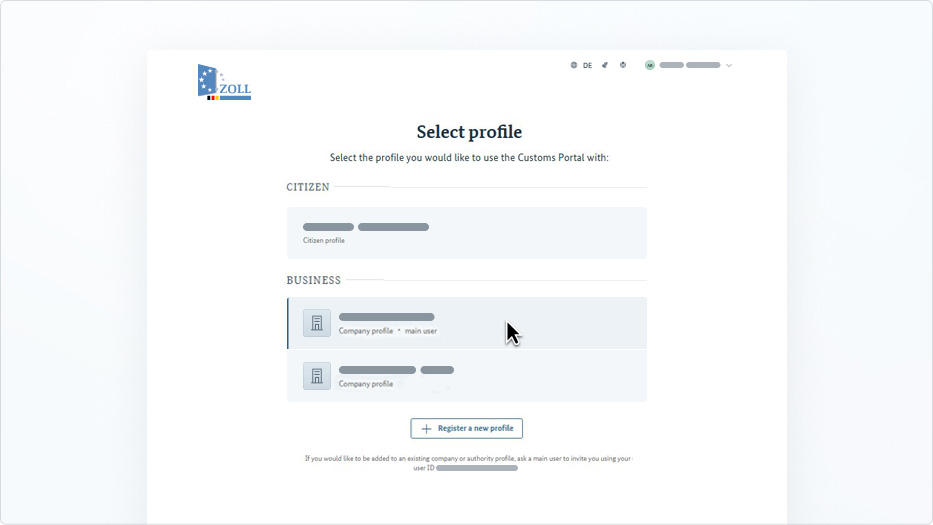
Your user account is your personal access to the Customs Portal and only belongs to you. Several profiles can be assigned to one user account, for example a citizen profile and several company profiles. This allows you to work for various companies with a single login. Would you like to be added to an existing company or authority profile? Then ask the main user of the profile to invite you using your user ID (email address). After logging in, you can see all your profiles directly in this profile overview.
Register a new profile
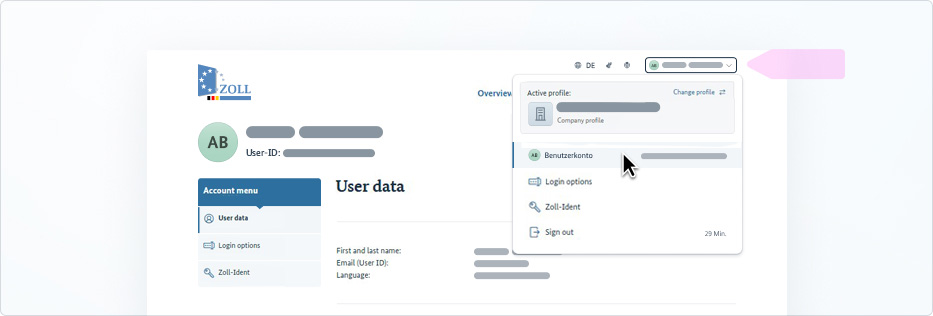
You can open the user menu at any time by clicking your name in the top right-hand corner. There, you can manage everything to do with your user account and your personal access: account data, login options and Zoll-Ident. You can also see which profile is currently active and return to the profile overview at any time using “Change profile”. If you do not have a second profile yet, you will find the “Register profile” link in the same place.
Go to user account
Overview
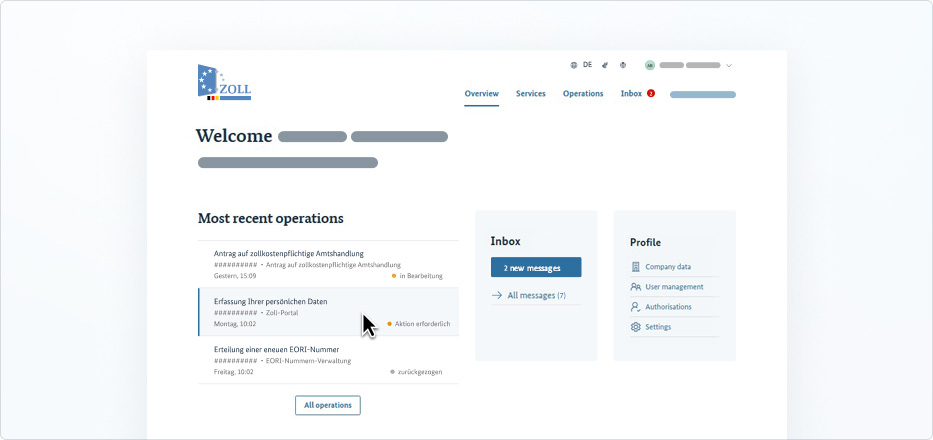
The overview is your profile homepage after logging in. At a glance, you can see the status of your latest procedures, new messages in your inbox, and quick access to your profile menu. Further down, you will find frequently used services, so you can submit new applications without having to search for a long time.
Go to overview
Applications and services
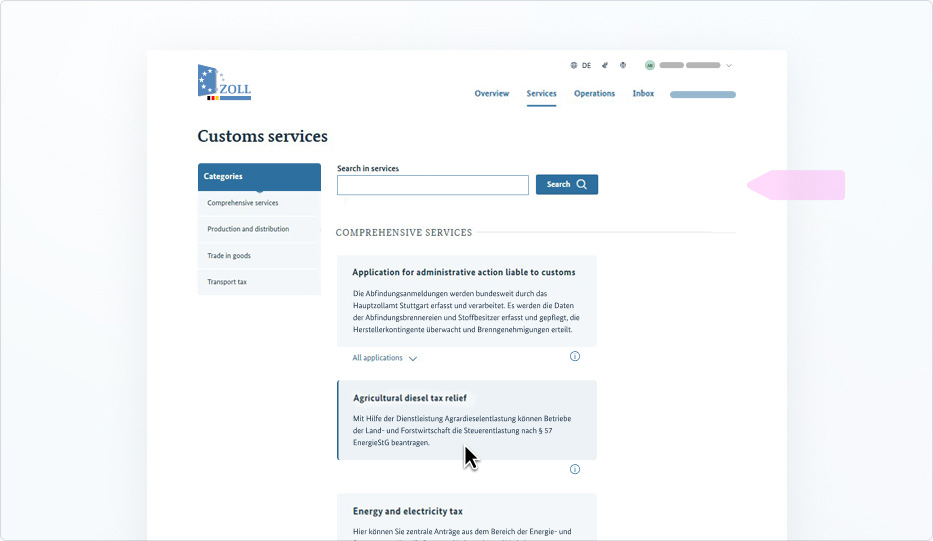
On the Customs Portal, you can find your applications in the service overview. Each service listed stands for a Customs service and includes the corresponding application as a digital form. Sometimes a service also combines several related applications, such as for motor vehicle tax. Not sure which service your application belongs to? The search function in the service overview will help you find it quickly.
Once an application is submitted, a procedure is initiated by Customs. You can find it in the procedure overview, where you can track the current processing status at any time.
Go to services
Operations
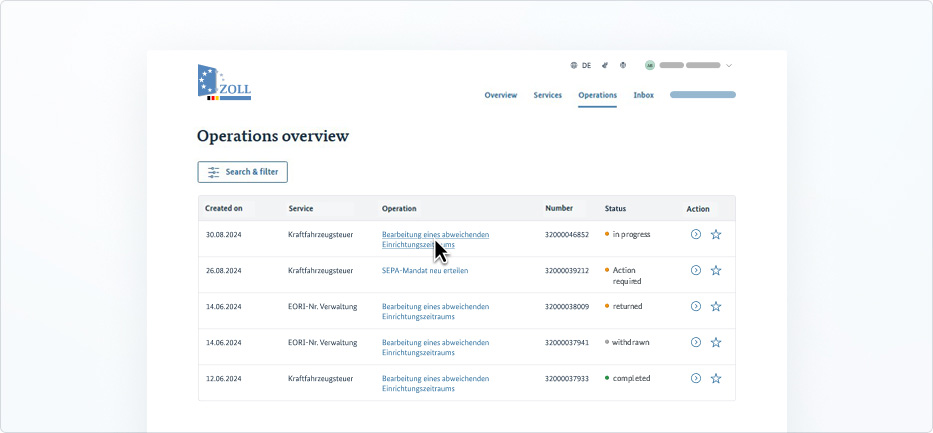
In the operations overview, you can see all the applications you have submitted so far, along with their current processing status. If Customs has any questions, you will be notified and can reply directly from within the procedure. Just click on the procedure title to open the details page for that procedure. There you will find all the key data as well as a chronological overview of previous updates.
Go to operation overview
User management
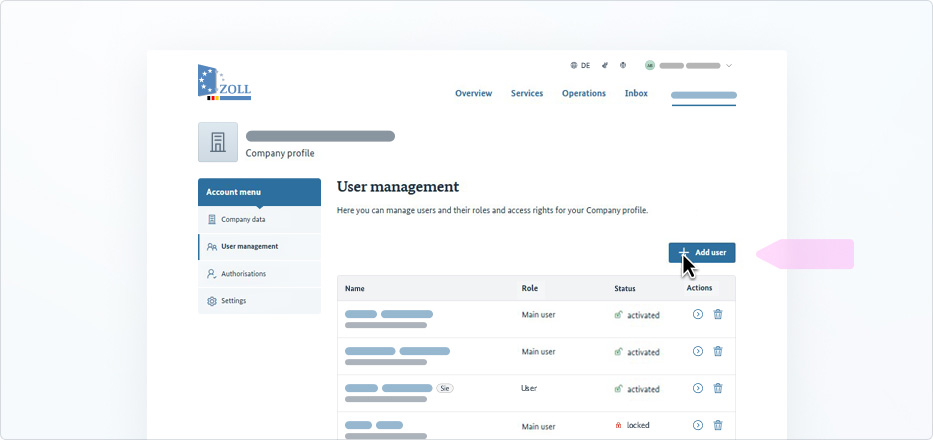
In a company or authority profile, several users can submit and process applications. In user management, you determine which members of your company or authority have access to the profile and what role is assigned to them. Main users have administrator rights and can manage the entire profile. Users may only submit applications for specific services.
New users can be added by clicking the “Add user” button. All you need is the person’s email address (user ID).
Go to user management
Authorisations
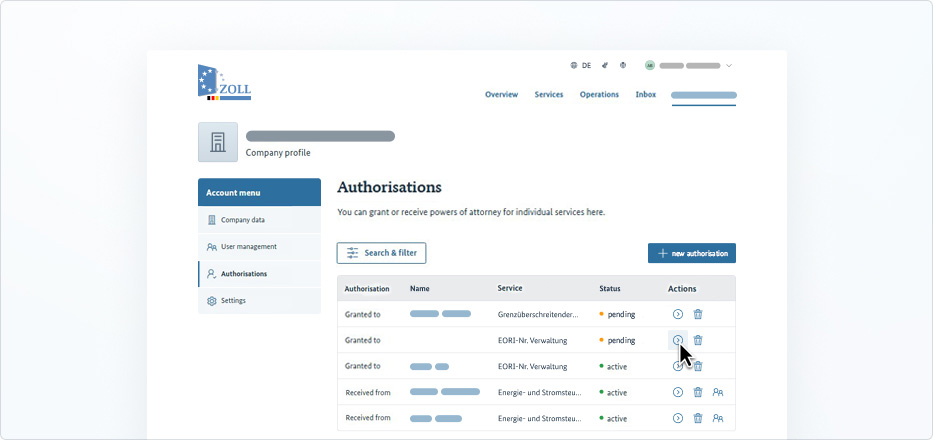
With an authorisation, you can appoint an external person to submit and process applications on your behalf, for example a tax adviser. Decision notices relating to these applications will then be sent directly to the authorised person.
The difference to user management: A user in your profile has access to your profile itself. An authorised person, on the other hand, has their own profile and acts on your behalf.
Go to authorisations